

Session hijacking is a cybersecurity attack in which fraudsters steal or misuse active session cookies or authentication tokens to impersonate legitimate users. This allows fraudsters to access authenticated accounts, view sensitive information and perform unauthorised transactions without necessarily repeating the login process.
Attackers exploit vulnerabilities in web applications, browser security, network connections and user devices through techniques such as cross-site scripting (XSS), malware, network interception and session fixation. Depending on the target and attack method, session hijacking can affect web applications and network connections, creating risks for both individuals and businesses.
For banks, fintechs, SaaS platforms and online businesses, protecting user accounts requires more than securing the initial login. This guide explores the different types of session hijacking, how these attacks work, the warning signs of compromised sessions, and the security measures businesses can implement to detect and prevent them.
Key Takeaways
- Session hijacking bypasses the usual login process: Attackers, when they steal or misuse the active session tokens, can successfully impersonate authenticated users without necessarily needing their passwords or facing further MFA (multi-factor authentication ) challenges.
- Multiple techniques enable session theft: Some common methods of session theft include XSS, malware, network interception, session fixation, and stolen token reuse.
- A hijacked session can lead to account takeover: Attackers can access sensitive information of legitimate users. This allows fraudsters to modify genuine users' account details while initiating unauthorised transactions.
- Detecting suspicious sessions requires continuous monitoring: Unfamiliar devices, unusual location changes, concurrent logins and abnormal user behaviour; all these indicate a warning sign of session compromise.
- Layered security reduces hijacking risks: Secure cookies, HTTPS, session expiration, token rotation, reauthentication and device intelligence; together, these help businesses protect authenticated sessions.
What Is Session Hijacking?
Session hijacking is a cyberattack in which a third party or attacker takes control of a legitimate user's authenticated session by stealing or misusing their session identifier or authentication token. It is typically stored in a browser cookie, and the identifier allows the application to recognise the user while maintaining access across every request made after the login.
For example:
- You log in to your bank account using your credentials.
- The banking application creates a session and stores a session identifier in your browser.
- An attacker steals or obtains access to your active session identifier.
- The attacker reuses the stolen identifier to access your banking session without entering your login credentials.
But the session hijacking attack exploits how HTTP handles multiple sessions for a user. Since HTTP is stateless, applications use session IDs or tokens to associate incoming requests with authenticated users. OWASP (Open Worldwide Application Security Project) explains that an authenticated session token is effectively as powerful as the authentication method used to establish that session. Anyone possessing a valid token may therefore inherit the associated user's access and misuse it to commit fraud.
Types of Session Hijacking: Classification by Target & Attack Nature
Session hijacking can take different forms depending on the type of session an attacker targets. It also varies in how an attacker attempts to gain unauthorised access. Broadly, these attacks can be classified by their target (application-level or network-level) and their nature (active or passive). Understanding these particular distinctions helps banks, NBFCs, and financial institutions to identify potential vulnerabilities and choose appropriate security measures.
Classification by Target
| Type | What It Targets | How It Works |
|---|---|---|
| Application-Level Session Hijacking | Authenticated sessions in web applications, such as banking platforms, email services, and SaaS applications. | Attackers steal or misuse session cookies or authentication tokens to access an existing user session. |
| Network-Level Session Hijacking | Active network connections, particularly TCP sessions. | Attackers exploit weaknesses in network communication or deal with connection management that interfere with or take over an established connection. |
Swipe the table
Classification by Attack Nature
| Type | How It Works | Potential Impact |
|---|---|---|
| Active Session Hijacking | Attackers take control of an authenticated session and actively send requests or perform actions as the legitimate user. | Unauthorised transactions, account modifications and access to confidential information. |
| Passive Session Hijacking | Attackers monitor or intercept session-related network traffic to collect information, such as exposed session identifiers, without immediately taking control of the session. | Exposes sensitive information and creates opportunities for later session compromise. |
Swipe the table
These classifications significantly highlight the different ways attackers can exploit authenticated sessions. While the application-level attacks often target session cookies and authentication tokens, network-level attacks exploit weaknesses in different communication channels.
What Is Cookie Hijacking and How Does It Work?
Cookie hijacking is another kind of cyber fraud where the theft or misuse of a browser cookie occurs that carries a session ID or authentication token. When you log in to an application, the site generates a cookie; the browser identifies it with each request you make after login, and whoever presents it is treated as the user. Attackers steal access to these cookies in four main ways:
- Insecure transmission: Cookies without the Secure attribute can travel over HTTP and be read in transit.
- Malware: Infostealers read the browser’s cookie store directly on the device.
- Browser vulnerabilities: Some flaws in the browser or its extensions can expose cookie data.
- XSS: Injected scripts read any cookie that lacks the HttpOnly attribute.
With a stolen cookie, the attacker gains control of a legitimate user's session in their own browser and continues the session without further verification. Since no new login page appears, the MFA (multi-factor authentication ) never gets a chance to suspect the continued session. Persistent cookies make this worse: those with Max-Age or Expires values stay on disk until they lapse. OWASP adds that clearing a cookie in the browser does not invalidate a copy someone else holds.
Read more to understand what is browser fingerprinting
Session Hijacking vs Cookie Hijacking vs Account Takeover
Session hijacking, cookie hijacking and account takeover are related cybersecurity threats. But all of the types describe different stages or aspects of a cyber attack. Cookie hijacking involves stealing or misusing a browser cookie containing an authentication token. Session hijacking, on the other hand, occurs when an attacker takes control of an authenticated session. Account takeover (ATO) is the broader outcome in which an attacker gains unauthorised control of a user's account.
| Term | Meaning | How It Happens | What Is Compromised | Example | Typical Result |
|---|---|---|---|---|---|
| Session Hijacking | Taking control of an existing, authenticated user session. | Token theft through XSS, malware, network interception, session fixation or token reuse. | Active session ID or authentication token. | An attacker steals an employee's active session token and uses it to access the company's application without repeating the login process. | Unauthorised access to the account while the session remains valid and accepted. |
| Hijacking | Stealing or misusing a browser cookie that carries a session ID or authentication token. | Malware, insecure cookie transmission, browser vulnerabilities or XSS involving cookies without HttpOnly protection. | Authentication cookie. | An attacker obtains a user's session cookie through malware and uses it in another browser to access the user's account. | The attacker can impersonate the user by resuming the authenticated session. |
| Account Takeover (ATO) | Gaining unauthorised control of another person's account. | Phishing, credential stuffing, SIM swapping or session hijacking. | Account access, which may involve credentials, authentication factors or an active session. | An attacker uses stolen credentials to access a banking account, changes its recovery details and attempts unauthorised transactions. | Unauthorised control of the account, potentially including changes to passwords, recovery details and transactions. |
Swipe the table
How Does a Hijacked Session Affect a Business?
A hijacked session can expose a business to financial losses, data breaches and operational disruption. Since attackers exploit an already authenticated session, their activities may appear legitimate to applications, making unauthorised access harder to detect. The impact can even extend across six key areas:
- Fraud and Account Takeover: Attackers can initiate fraudulent payouts, transfers, purchases or unauthorised changes to customer account details.
Read the guide to understand Account Takeover (ATO) Fraud - Unauthorised Transactions: Requests that are made with a valid session token may bypass the basic security checks that primarily focus on failed logins or suspicious authentication attempts.
- Data Exposure: Compromised employee or administrator sessions can expose necessary and confidential financial information, customer records, KYC documents, and internal business files to attackers.
- Wider System Access: In single sign-on (SSO) environments, a compromised session may allow attackers to access multiple connected applications using the victim's existing authentication privileges. The extent of access depends on the user's permissions and the security controls protecting those applications.
- Operational Disruption: Security teams may need to revoke some sessions, suspend accounts, investigate suspicious activities, and re-verify the affected users.
- Compliance and Reputational Damage: Exposed personal or financial information can trigger some regulatory reporting obligations. This may bring legal consequences for banks, NBFCs, and financial institutions while losing customer trust.
Real-world Example of Session Hijacking
Huntress – M365 Token Spray and Replay Campaign
Between July 14 and September 22, 2026, cybersecurity firm Huntress tracked a token-replay campaign affecting 79 organisations. Attackers used adversary-in-the-middle (AiTM) phishing infrastructure to capture Microsoft 365 authentication sessions and replay stolen tokens to access victims' accounts.
The investigation recorded at least 497 successful sign-in events. In cases of compromised accounts, the attackers registered rogue devices, replaced victims' MFA methods and created malicious inbox rules to hide communications. In one case, they used a compromised business email account to send a payroll-related message to an external contact.
6 Ways Attackers Hijack a Session: Common Techniques Used
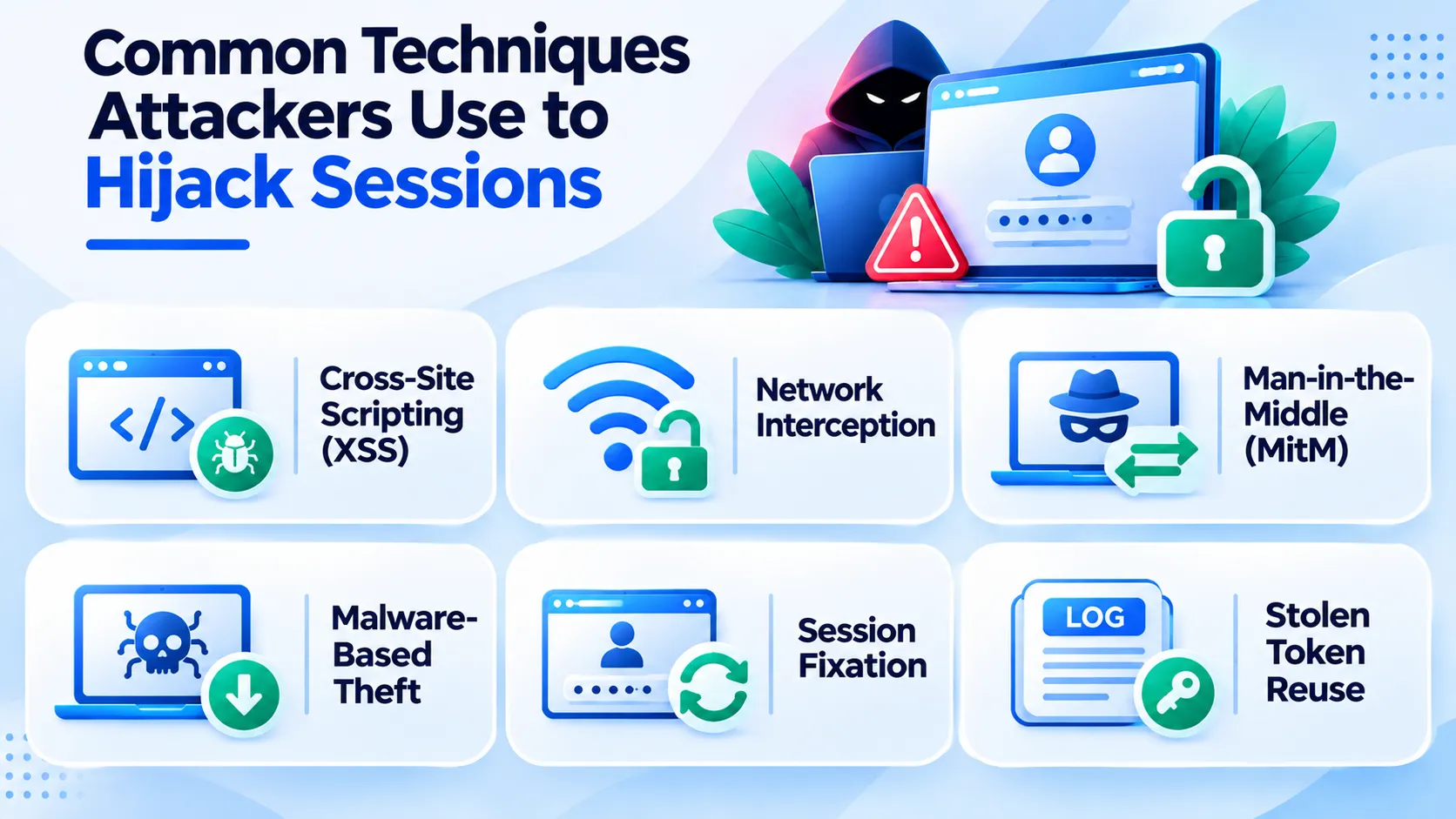
Attackers use multiple techniques to steal, intercept or misuse active session tokens. These methods exploit some vulnerabilities in web applications, browser security, network connections and user devices. So, understanding how these attacks work helps businesses identify security gaps and implement appropriate protections.
| Attack Methods | How the Methods Work |
|---|---|
| Cross-Site Scripting (XSS) | Injects malicious scripts into vulnerable websites. This allows attackers to steal session cookies that are accessible to JavaScript. |
| Network Interception | Captures session cookies transmitted over unencrypted network connections, allowing attackers to reuse them. |
| Man-in-the-Middle (MitM) Attacks | Intercepts or manipulates seamless communication between users and applications to obtain session tokens. |
| Malware-Based Theft | Uses infostealer malware to extract browser cookies and session tokens from compromised devices. |
| Session Fixation | Tricks users into logging in with a session ID the attacker already knows, enabling subsequent session impersonation. |
| Stolen Token Reuse | Exploits exposed session tokens from application logs, URLs or support files to access authenticated sessions. |
Swipe the table
How Does a Session Hijack Work, Step by Step
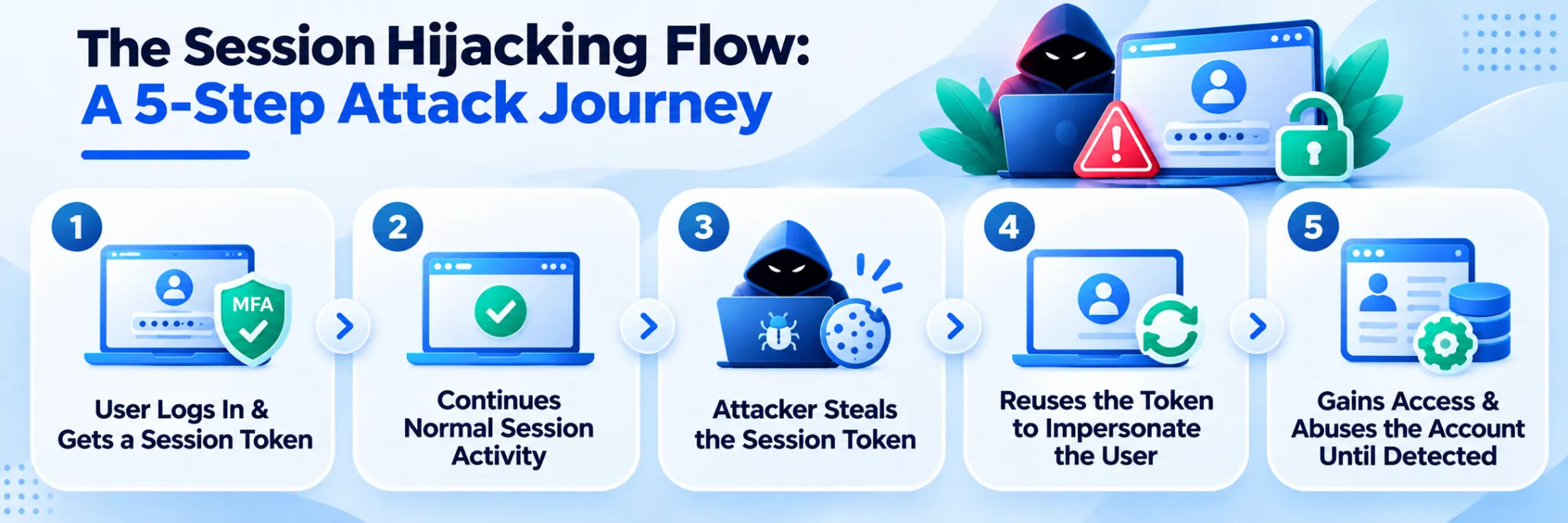
Session hijacking works in a loop by exploiting an already authenticated session. Here are the five steps:
- Legitimate Authentication and Token Issuance: The user logs in with their existing credentials and completes multi-factor authentication (MFA), if required. After verifying their login session, the server creates an authenticated session and issues a unique session identifier or authentication token. This is usually stored in a browser cookie or within a client’s application.
- Normal Session Activity: The browser or client automatically sends the session cookie or token with subsequent requests. This lets the application recognise the authenticated users while maintaining the session across interactions.
- Token Capture or Theft: The attacker obtains the active session token through techniques such as cross-site scripting (XSS), adversary-in-the-middle (AitM) attacks, infostealer malware or session fixation. Exposed tokens in application logs or files can also become targets.
- Session Replay and Impersonation: The attacker reuses the obtained or stolen token in another browser or tool, and then sends requests to the application. If the token remains valid and no additional security checks intervene, the server may treat the attacker as the legitimate user without the need for further login.
- Persistence and Abuse: Once inside, the attacker can access private information, modify account settings, initiate unauthorised transactions or even get access to connected cloud and SaaS resources. This access may continue until the session expires, and if a business or security controls can not detect the session, it is never considered a compromised session.
How Can Businesses Detect Session Hijacking
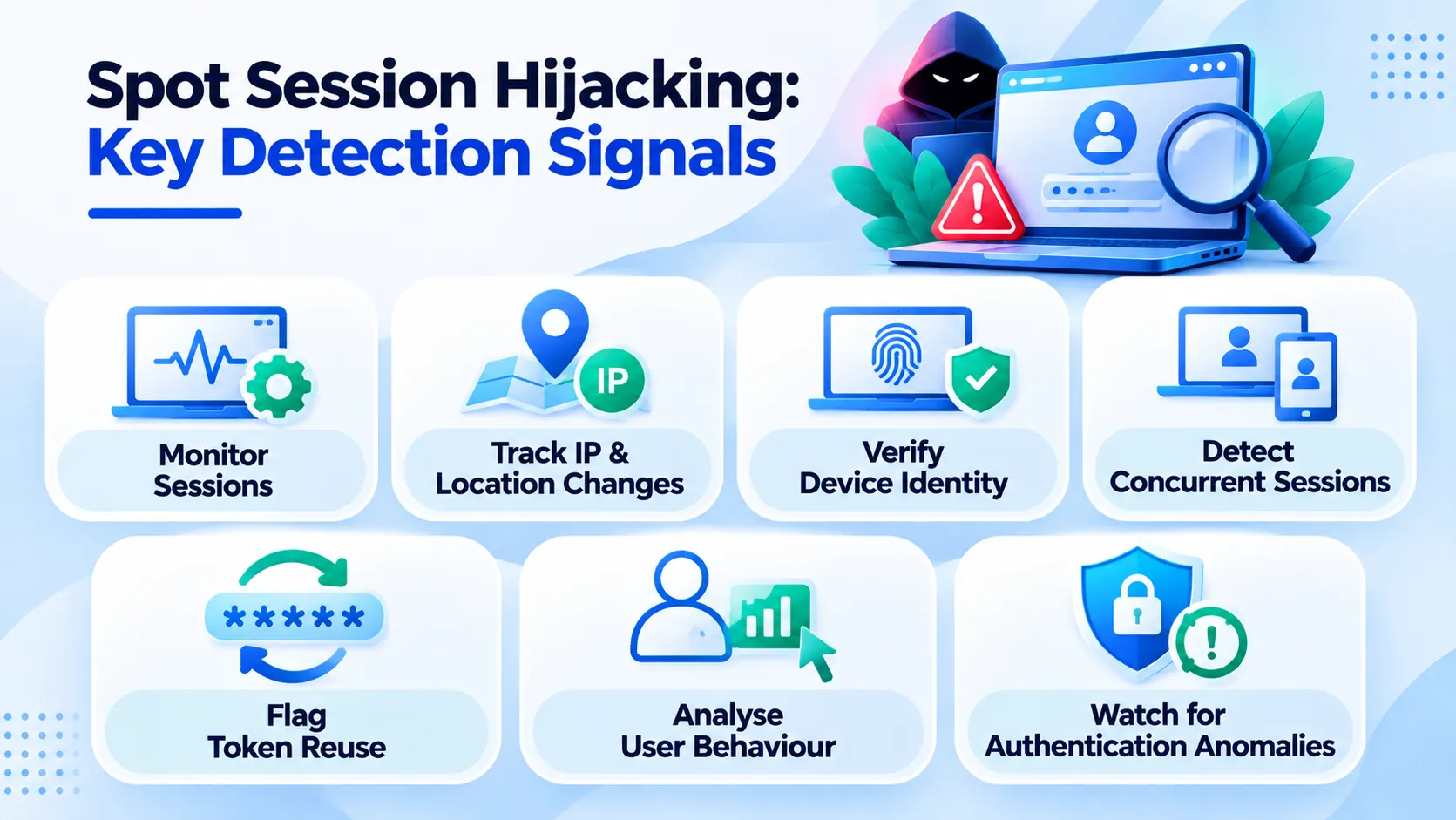
Businesses can detect session hijacking by monitoring active sessions and comparing current access patterns with the user's previous activity. Some key detection methods include:
- Session Monitoring: Track each of the session creation, renewal, termination, and privilege changes. Log a salted hash* of the session ID for investigation, rather than just storing the raw session token.
- IP and Location Analysis: Monitor for each of the changes in IP addresses, networks and geographical locations during an active session. Furthermore, unusual or unrealistic location changes may indicate token misuse.
- Device Fingerprinting: Compare the device accessing the session with the one originally used for authentication. That’s why some unexpected changes in device characteristics can indicate suspicious access.
Read this blog to gather insights on device fingerprinting - Concurrent Session Detection: Identify simultaneous access from unfamiliar devices, networks or locations. This may suggest a stolen token is being reused.
- Token Reuse Detection: Flag the same session token appearing across multiple devices or unexpected environments. This must be done particularly when the usage pattern differs from normal session activity.
- Behavioural Analysis: Compare typing patterns, navigation habits, and transaction behaviour with the user's established activity. This even helps to identify any kind of inconsistencies that may trigger further verification.
- Authentication Anomalies: Monitor for any type of unusual step-up authentication failures, unexpected password resets, and changes to account recovery details. This helps to detect suspicious session activity.
Why multiple detection signals matter
According to OWASP, IP addresses and User-Agent strings alone are considered unreliable indicators because attackers can operate through the same network or imitate browser identifiers. Device characteristics and behavioural patterns, on the other hand, provide some additional evidence, making the combination of detection signals more effective than relying on individual indicators.
Good to know: A salted hash is a security technique used to protect sensitive information, such as session IDs, passwords or authentication tokens, when storing them in logs or databases.
How Can Businesses Prevent Session Hijacking
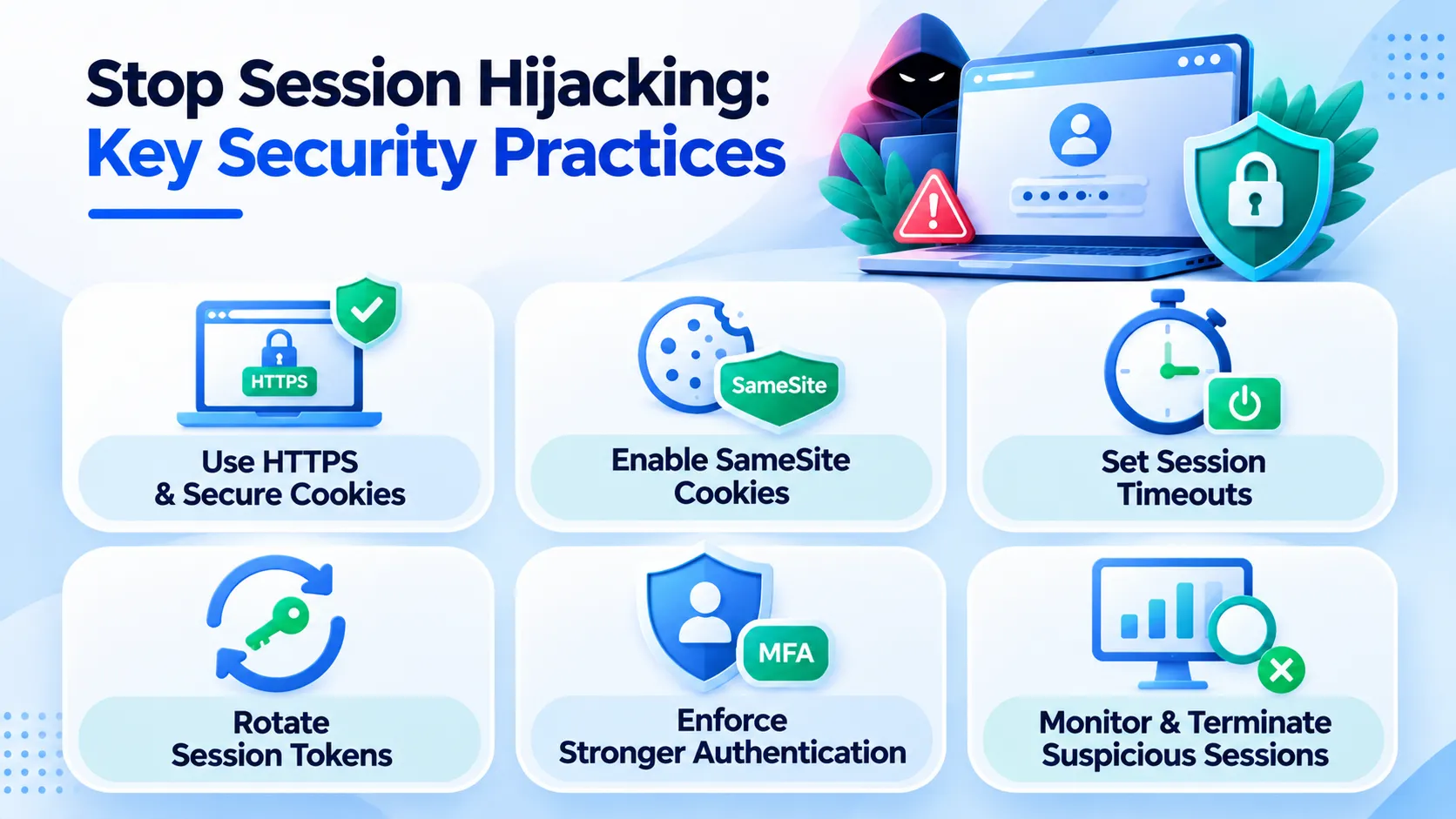
Preventing session hijacking requires multiple layers of security. Businesses should protect session tokens, secure browser cookies and monitor authenticated sessions to reduce the risk of unauthorised access.
- Secure HTTPS and Cookies: Enforce HTTPS across the entire application and use the Secure and HttpOnly cookie attributes. This allows you to protect session cookies from interception and direct JavaScript access.
- Implement SameSite Cookie Attributes: Configure SameSite to Strict or Lax to restrict cross-site cookie transmission and reduce cross-site request forgery (CSRF) risks.
- Enforce Session Expiration: Set idle and absolute session timeouts that automatically invalidate inactive or expired sessions on the server.
- Rotate Session Tokens: Generate new session IDs after login, password changes and privilege updates to help reduce session fixation and token misuse risks.
- Strengthen Authentication: Use MFA and require reauthentication before sensitive actions, such as changing passwords, updating recovery details or initiating financial transactions.
- Monitor and Terminate Suspicious Sessions: Use the process of continuous session monitoring, device checks and behavioural analysis that allows you to identify unusual activity. It also invalidates compromised sessions on the server immediately.
Note: MFA protects the authentication process, but it cannot prevent session hijacking on its own. That’s why MFA, or multi-factor authentication, should work alongside secure cookie configurations, session management and continuous monitoring.
Detecting Hijacking Effectively with Sign3’s Intelligence!
A valid session token does not always indicate legitimate access. Attackers can reuse stolen session cookies to access accounts from unfamiliar devices. Our Device Intelligence helps businesses identify such anomalies by analysing device characteristics and comparing them with previously associated devices. By adding device-level intelligence to existing security workflows, businesses can identify potentially compromised sessions even when authentication tokens appear valid.
However, effective protection requires advanced and secure cookie configurations, server-side session expiration, token rotation, continuous monitoring and layered authentication. Combining these controls with our Device Intelligence helps businesses look beyond valid tokens and assess whether an account is being accessed from a trusted device. Book a demo to discover how we can help your business detect suspicious device activity, identify potentially compromised sessions and strengthen account security.
FAQs
1. What is session hijacking in cybersecurity?
Session hijacking is one kind of cyberattack in which an attacker takes control of a user's active, authenticated session by stealing or misusing their session ID or authentication token. Since the application recognises this token as proof of identity, the attacker can access the account without entering the user's password or completing another authentication step.
2. How do hackers steal active login sessions?
Hackers use multiple techniques to steal active session tokens. These include cross-site scripting (XSS), malware that extracts browser cookies, interception of unencrypted network traffic, session fixation, and even the exposure of tokens through application logs or support files. Once attackers obtain these tokens, they reuse them in their own browser and take over a legitimate user's account by accessing an authenticated session.
3. What is cookie hijacking?
Cookie hijacking involves stealing or misusing a browser cookie that stores a user's session ID or the authentication token. Websites use these cookies to recognise users after making a login. If attackers obtain a valid session cookie, they can impersonate the user and even get access to their account without repeating the login process.
4. How can attackers use stolen session cookies?
Attackers can load stolen session cookies into their own browsers or automated scripts. This allows them to continue someone else's authenticated session, and attackers can even perform actions permitted to the legitimate user, such as accessing confidential information, changing account details or initiating unauthorised transactions. Since the session is already authenticated, additional login verification may not be triggered.
5. What is the difference between a session hijack and account takeover?
Session hijacking is a technique attackers use to gain unauthorised access to an account, whereas account takeover (ATO) describes the broader outcome. Attackers can take over accounts through stolen session tokens, phishing, credential stuffing or compromised passwords. A successful session hijack can therefore lead to account takeover and allow attackers to continue sessions without using the legitimate login credentials.
6. How can businesses detect a hijacked session?
Businesses can detect hijacked sessions by monitoring activity and comparing it with established user behaviour. Warning signs include unfamiliar devices, sudden location changes, concurrent logins, token reuse and unusual transaction patterns. Sign3 supports this process through Device Intelligence, Behavioural Biometrics, Digital Footprint and Graph Intelligence to identify suspicious activity and potentially compromised sessions.
7. How can users protect their active login sessions?
Users can protect active sessions by logging out of some shared devices while avoiding unsecured public Wi-Fi, updating browsers and extensions, and avoiding suspicious links. They can also explore options like Sign3 Device Intelligence to strengthen their existing security workflows with device and behavioural intelligence. Sign3’s risk scoring factors help businesses to identify suspicious sessions while assessing account takeover risks.


