

Phishing is a cyberattack in which fraudsters impersonate trusted individuals or organisations to trick people into sharing sensitive information, revealing login credentials or making fraudulent payments. Phishing uses different methods to manipulate or mislead individuals and businesses into revealing sensitive information, sharing login credentials or making fraudulent payments. These types of attacks can occur through emails, SMS messages, phone calls, fake websites and QR codes.
Understanding the common types of phishing attacks can help you recognise suspicious activity. Also, you can learn how to prevent phishing and financial fraud while protecting your accounts.
Key Takeaways
- What is phishing : A particular type of social engineering attack in which cybercriminals impersonate trusted individuals or organisations to manipulate people into sharing sensitive information, clicking malicious links, downloading harmful files, or making fraudulent payments.
- Common types : Email phishing, spear phishing, whaling, BEC, smishing, vishing, angler phishing, clone phishing and quishing.
- Warning signs : Lookalike domains, urgent demands, unexpected attachments, requests for OTPs or passwords, and changed payment details are some of the common warning signs of attacks related to phishing.
- Phishing Prevention : Check the links before clicking, use unique passwords with MFA or passkeys, keep software updated and verify payment requests through a second channel.
- After a click : Disconnect your device from the internet if malware is suspected. Change your passwords using a device free from malware, contact your bank and report the incident.
There are 20 types of phishing attacks. When you check the types, you will understand that they use different communication channels while targeting various techniques to deceive individuals and businesses. Some even target large groups with generic messages, while others use personalised information to trick specific employees or senior executives. Understanding these types, with common phishing examples can help you recognise suspicious communication while avoiding potential fraud.
Email-Based Phishing
1. Email Phishing
Email phishing is a bulk attack in which criminals send the same deceptive message to many people. It impersonates trusted organisations and uses urgency, fake login links or attachments to steal credentials or deliver malware.
Example: Phishing email examples reveal an email styled like an online store’s notice that says your order is on hold and asks you to confirm your card details within 24 hours.
2. Spear Phishing
Spear phishing targets one person specifically. Attackers research their particular role, colleagues and projects before crafting a convincing, work-related message designed to steal credentials or install malware inside an organisation.
Example: An accountant receives an email that appears to come from her manager. It names a real vendor and a real invoice number and asks her to open an attached “revised invoice”.
3. Whaling
Whaling is spear phishing aimed at senior executives, such as CEOs or CFOs. Attackers impersonate trusted contacts to exploit executives’ payment authority and access to sensitive systems, often through email, phone or video calls.
Example: A CEO receives an email that appears to come from the company’s lawyer about a confidential acquisition and asks him to approve an urgent transfer.
4. Business Email Compromise (BEC)
Business email compromise (BEC) involves hijacking or impersonating a genuine business mailbox. Attackers send believable requests to pay invoices, change vendor bank details or share payroll information, often without links that filters can easily detect.
Read more to gather further insights on Business Email Compromise (BEC).
Example: A supplier’s mailbox is hacked. The attacker writes to your accounts team: We have changed banks. Please send this month’s payment to the new account below.
5. Clone Phishing
Clone phishing copies a legitimate email you have received, then replaces its link or attachment with a malicious one. The attacker resends it, often claiming a correction is needed, exploiting your familiarity with the original.
Example: A colleague shares a document link. Hours later, the same email arrives again, saying “Resending with the updated link”, and the new link opens a fake login page.
6. Deceptive Phishing
Deceptive phishing impersonates a familiar organisation, such as a bank or delivery service. It invents an account problem and directs recipients to a fake login page that captures usernames and passwords.
Example: An email styled like your bank’s alert says a new device has logged in to your account and asks you to “secure your account” through a link.
Phishing Through Fake Websites and Links
7. HTTPS Phishing
HTTPS phishing uses fake websites displaying a padlock icon in the browser's address bar. The padlock only indicates encrypted data transfer; it does not prove legitimacy. Attackers exploit this misconception to make fraudulent sites appear trustworthy.
Example: A link to "your bank’s login page” usually opens a site with a padlock, but the address is mybank-secure-login.com, not your bank's real domain.
8. Website Spoofing
Website spoofing creates a fake version of a real site, copying its real logo, layout and design. When victims open the fake site through emails, texts or ads, they unknowingly share passwords, payment details or other sensitive information.
Example: A text about a pending electricity bill links to a page that copies your utility provider’s website and asks you to pay by card.
9. Domain Spoofing
Domain spoofing makes an email or website appear to use a trusted domain. Attackers forge sender addresses or register lookalike domains with some altered characters. These include SPF, DKIM and DMARC, which help protect against forged email; monitor lookalikes.
Example: An email appears to come from accounts@yourcompany.com, but the sender address is forged. It asks the staff to update their payroll details.
10. Search Engine Phishing
Search engine phishing places fake websites or phone numbers in search results through paid ads or manipulated rankings. Attackers often target searches for customer care, login pages, flights and discounts, exploiting trust.
Example: You search for a flight refund helpline, and a sponsored result with a toll-free number appears first. The agent asks for your booking details and a small “verification” payment.
11. Pop-Up Phishing
Pop-up phishing displays a fake alert claiming your device is infected or hacked. It may imitate security software and urge you to call or download software, leading to payment demands, remote access or malware installation.
Example: While you read a news site, a full-screen alert with a loud siren says “Your computer is locked, call support now”.
12. Image Phishing
Image phishing hides the deceptive text or malicious code within the pictures. Attackers use image-only emails to evade text filters or embed code that runs when a page loads, exploiting tools that focus on text and links.
Example: An email contains only a picture of a message about a pending invoice. The picture links to a fake login page, and the filter finds no suspicious text to flag.
Phishing by Phone, Text and QR Code
13. Smishing
Smishing is a form of phishing by SMS. Fraudsters send messages creating fake urgency about blocked accounts, failed deliveries, fines or refunds. That’s where a disguised link may open a fake website or install a malicious app on the recipient's device.
Example: A text says a parcel could not be delivered and asks for a ₹25 redelivery fee through a link. The page then asks for your card details.
14. Vishing
Vishing is another form of phishing where fraud happens via phone. Callers impersonate banks, police or support staff and pressure victims to reveal OTPs, PINs or card details, or install remote-access apps. Caller ID can be faked; the number proves nothing.
To know more about Vishing, read this guide on What Is Vishing
Example: A caller claiming to be from the police says a parcel in your name contains illegal items. They ask you to stay on the line and transfer money to “clear your name”.
15. Quishing
Quishing uses malicious QR codes to trick people into making a fake payment or into fake login pages. Attackers hide codes in emails, chats or stickers placed over genuine public codes, making the destination difficult to check before scanning.
Example: A restaurant table has a “Scan to pay” sticker pasted over the real code. It opens a fake payment page that collects your card details.
16. Angler Phishing
Angler phishing targets people who seek help on social media platforms. Fake brand-support accounts also respond to public complaints, then move users into private messages so they can share malicious links or request account details.
Example: You post about a failed transaction. An account named “BankName_Helpdesk” replies within minutes and asks you to message it your card number so it can “fix” the issue.
Network and Technical Attacks
17. Evil Twin Phishing
An evil twin attack creates a fake Wi-Fi hotspot using the name of a real network, such as airport Wi-Fi. Connecting may expose traffic or lead users to fake login pages that steal data.
Example: At a café, two networks appear with the name “Cafe_Free_WiFi”. But here, one is fake, and it asks you to sign in with your email account to get online.
18. Pharming
Pharming often redirects users to a fake website even when they enter the correct address. Attackers tamper with DNS settings on a device, router or server, sending visitors to counterfeit pages without suspicious links.
Example: You type the bank's correct address, but malware has changed your laptop's settings, so a perfect copy of the fake site loads instead.
19. Man-in-the-Middle (MITM) Attack
A man-in-the-middle (MITM) attack places a criminal between users and a legitimate website, intercepting the information exchanged. Attackers may capture passwords and session cookies, potentially bypassing multi-factor authentication and gaining account access.
Example: A fake login link opens a proxy that passes your details to the real site. You enter your password and the OTP, and the attacker copies your session and logs in as you.
The Technique Behind Them All
20. Social Engineering
Among the techniques, Social engineering is one of the most vital Phishing examples. This particular type manipulates people through fear, urgency, authority or helpfulness. It is a technique behind many attacks, not a separate channel, and can occur through email, calls, texts, chats or in person.
Example: A caller says they are from IT, knows your name and your manager, and asks you to read out the code that just arrived on your phone to “fix” your account.
How to Prevent Phishing Attacks
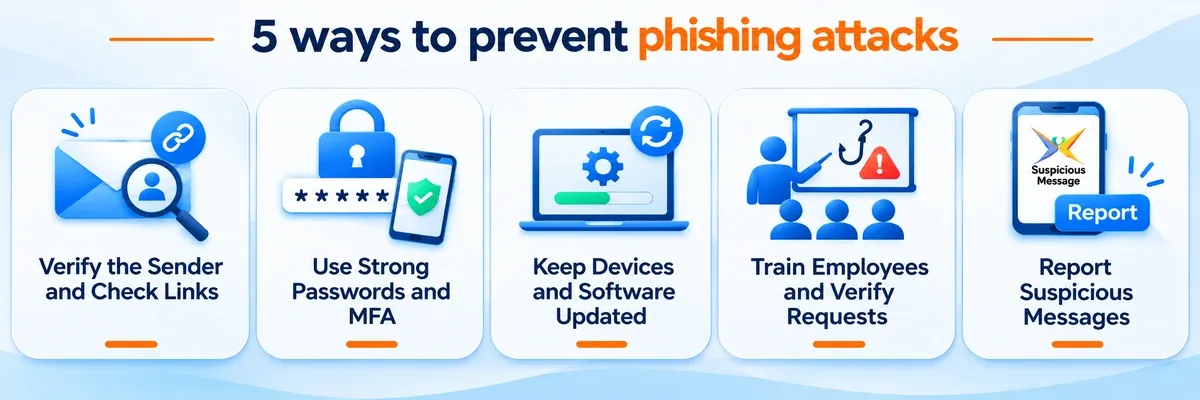
Phishing prevention works in layers. No single habit or tool stops every attack, but combining multiple safeguards makes it harder for attackers to deceive users, steal sensitive information or gain unauthorised access to accounts. The measures below explain how to prevent phishing for individuals and organisations and focus on the right actions.
1. Verify the Sender and Check Links Before Clicking
Confirm the sender’s full address and hover over the link. This allows you to check the real destination before you click on the link. Also, it is necessary to type the proper website address yourself or use a saved bookmark.
If you find that the message is claiming to be from your bank, employer or a government office, don’t reply to it. If required, contact the organisation through its official website or use the phone number that you have verified independently.
2. Use Strong Passwords and Multi-Factor Authentication (MFA)
Use a unique password for every account and store them in a password manager. Then add multi-factor authentication (MFA), which adds an additional layer of protection to passwords, making them less vulnerable to being used in fraudulent activities.
Infact, a fake login page can still capture SMS codes and app prompts in real time. Passkeys and physical security keys are phishing-resistant because they only work on the genuine website, which makes credential theft much harder.
3. Keep Devices, Browsers and Security Software Updated
Install operating system and browser updates promptly, since they patch the flaws attackers usually use after a click. Run endpoint protection software on every device and enable your browser's built-in Safe Browsing or security protection feature to receive warnings about potentially dangerous websites, downloads and links.
These controls block many malicious links, attachments and known threats before a person has to make a decision.
4. Train Employees and Verify Sensitive Requests
Conduct regular phishing awareness training and simulated phishing exercises to help employees recognise suspicious emails and messages. Encourage employees to report suspicious emails or messages to the IT or security team immediately. Make it clear that employees can report a suspected phishing attempt even if they are unsure whether it is genuine.
Before acting on unusual or urgent requests, employees should confirm them directly with the person concerned using a trusted phone number or communication channel. This is crucial for payment approvals, identifying any changes to vendor bank details and confirming unexpected instructions from senior management.
5. Report and Respond to Suspicious Messages
Report phishing emails to your email provider as well as your internal security team. In India, suspicious calls, SMS and WhatsApp messages can be reported through the Chakshu facility on the Sanchar Saathi portal.
Do not forward suspicious links or attachments to colleagues, even as a warning. Rather, you can send a screenshot or the sender's details to the security team.
Common Signs of a Phishing Attack
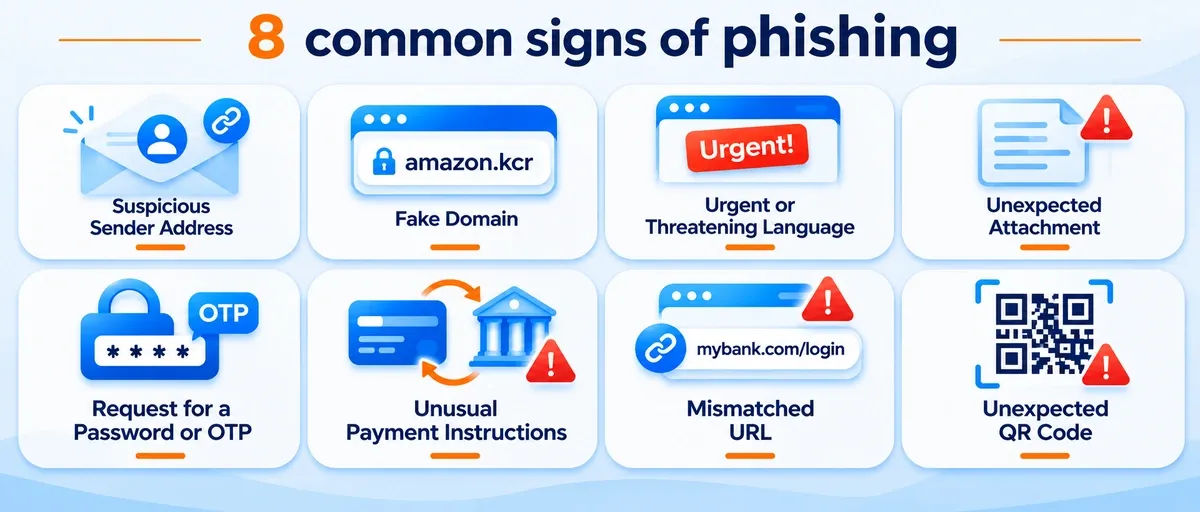
Suspicious sender addresses, lookalike domains, and urgent or threatening messages are some of the common warning signs. Spelling mistakes and grammatical errors once made phishing emails easier to identify. However, modern phishing messages can look professional, use accurate company logos and contain well-written content generated with AI tools.
So grammar errors alone aren't a reliable way to identify a phishing attempt. That’s why studying phishing examples also helps you notice these patterns. Here are some common warning signs to watch for:
| Warning Signs | What to Look For | Example |
|---|---|---|
| Suspicious sender address | The sender's display name appears familiar, but the actual email address belongs to an unrelated or unfamiliar domain. | An email labelled "Your Bank Support" arrives from a free webmail address. |
| Lookalike domain | The website address contains swapped, additional or missing letters to resemble a legitimate domain. | arnazon.com instead of amazon.com. |
| Urgent or threatening language | The message uses deadlines, penalties or threats of account suspension to pressure you into acting quickly. | "Your account will be blocked in two hours unless you verify your details." |
| Unexpected attachment | The email contains unfamiliar invoices, forms, ZIP files or other attachments that you were not expecting. | An unknown vendor sends an attachment named Invoice_4821.zip. |
| Request for a password or OTP | The sender asks you to disclose passwords, PINs or OTPs through an email, text message or phone call. | A caller claiming to represent your bank asks you to share an OTP to block a transaction. |
| Unusual payment instructions | The message requests payment to a new bank account, changes vendor details or asks you to keep the transaction confidential. | A vendor email says, "We have changed our bank account. Send all future payments to these new details." |
| Mismatched URL | The displayed link text does not match the actual destination, which may lead to an unfamiliar or fraudulent website. | A link labelled mybank.com/login redirects to a different domain. |
| Unexpected QR code | An unsolicited QR code directs you to a website requesting login credentials, payment details or other sensitive information. | An email about a shared document includes a QR code that redirects to a fake work login page. |
Swipe the table
What Should You Do If You Click a Phishing Link?
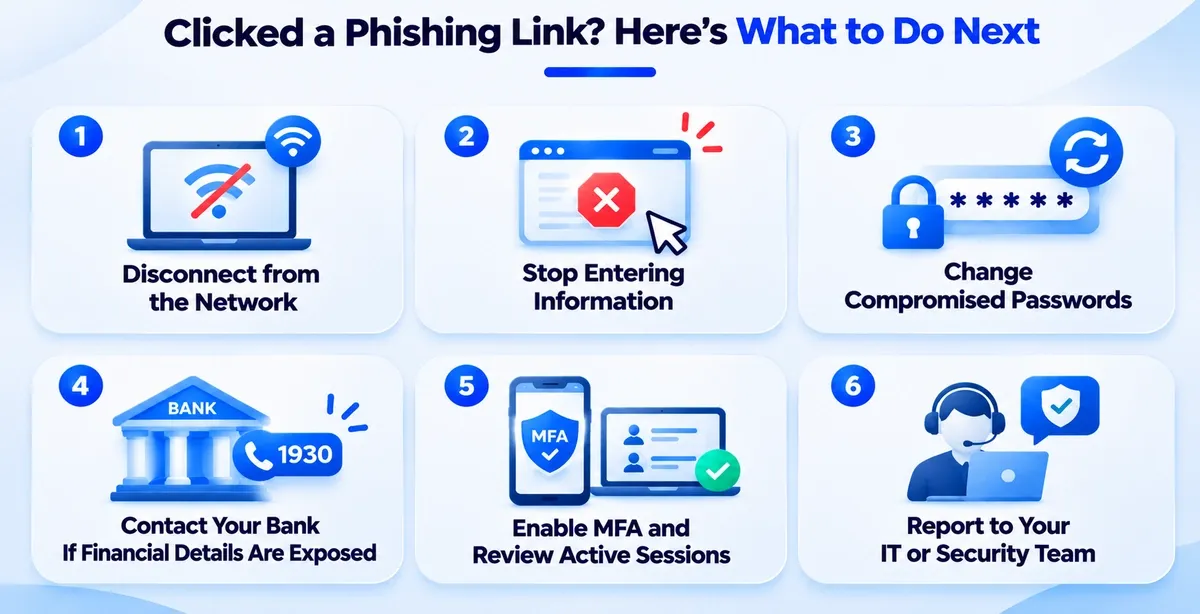
If you unknowingly click a phishing link, you need to act quickly to limit the chances of potential damage, especially if you have shared login credentials, personal information or financial details. Here are some crucial steps to secure your device and accounts:
1. Disconnect the Device from the Network: If you suspect that clicking that link has caused some serious issues or you have downloaded malware or compromised your device, quickly disconnect your system from Wi-Fi or mobile data. This allows you to prevent further connection between malicious software and external servers.
2.Stop Entering Information: Close the suspicious webpage immediately. Do not enter passwords, OTPs, card details or other personal information, even if the page looks like a legitimate banking or company website. Avoid clicking any additional links or downloading files from the page.
3. Change Compromised Passwords: If you have entered your login credentials, change the affected passwords immediately using a different and trusted device. Also, update the other accounts' passwords where you have reused the same credentials. Always use strong, unique passwords for each account, for example:
-
Weak password: Password123, Welcome@123 (predictable and easy to guess).
-
Strong password: T9#mL8@qR2!vX6pK (long, random and difficult to guess).
Strong passwords are much harder for fraudsters to imitate.
4. Contact Your Bank If Financial Details Are Exposed: If you have shared your card details, banking credentials or other financial information, contact your bank immediately to block or secure the affected accounts and report unauthorised transactions. In India, you can report financial cyber fraud by calling 1930 or visiting cybercrime.gov.in.
Read this guide on how to report Cyber Fraud in India to understand the process.
5. Enable MFA and Review Active Sessions: Enable multi-factor authentication (MFA) wherever possible. MFA adds an extra layer of security to your accounts. Check the active login sessions for the account, and if you see anything suspicious, log out of all unknown devices or locations. Also check recent account activity and spot any kind of unauthorised changes or transactions.
6. Report the Incident to the Relevant Security Team: If the phishing link reached you through your workplace, inform your organisation's IT or cybersecurity team about the incident. Share some necessary details such as the sender's address, message and suspicious URL without forwarding the malicious link unnecessarily. This way, the security team can get the chance to investigate the incident while protecting other employees from similar attacks.
How Does a Phishing Attack Work?
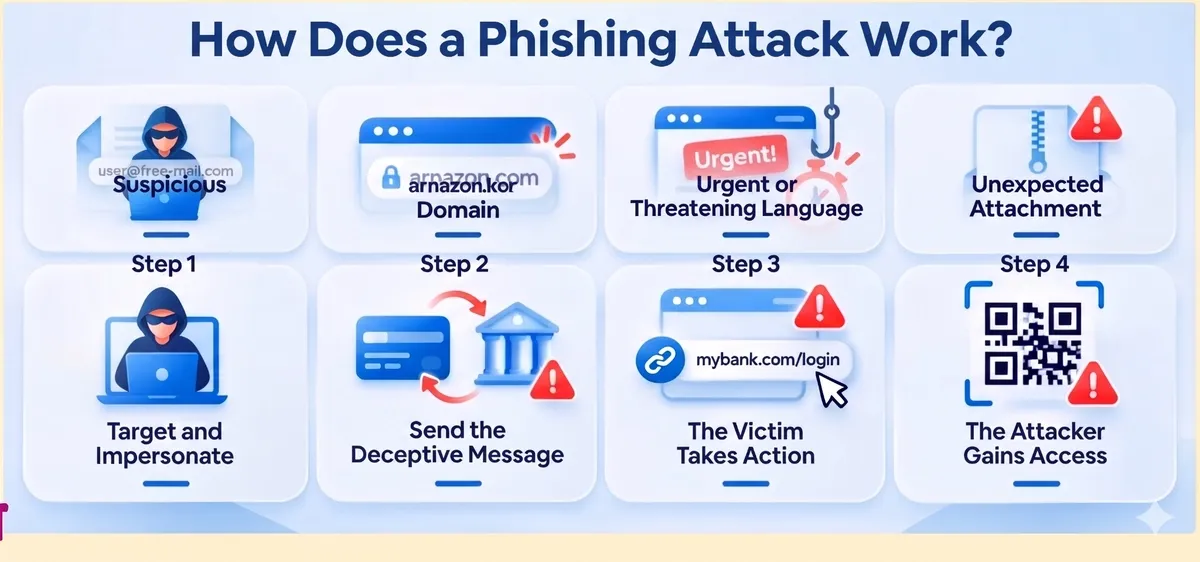
Most phishing attacks follow a four-step process. Attackers first establish a false identity, deliver a deceptive message, and manipulate victims into taking an action that lets them steal information or gain unauthorised access.
1. Target and Impersonate: The attacker identifies a potential victim and creates a believable identity by impersonating a trusted organisation, bank, colleague or business partner. They may use a spoofed email address or a fake website to appear legitimate.
2. Send the Deceptive Message: The attacker sends a deceptive email, SMS, phone call or social media message. It often includes an urgent request, such as verifying account details, making a payment or updating personal information.
3. The Victim Takes Action: Believing the communication is genuine, the victim may click a malicious link, download an attachment, scan a QR code or share sensitive information such as passwords and OTPs.
4.The Attacker Gains Access: The attacker uses the gathered credentials to access accounts, steal confidential information or initiate fraudulent transactions. Alternatively, malicious attachments may install malware, and it can even compromise the victim's device.
The entire process can take just a few minutes or even less. Attackers rely on urgency, deception and misplaced trust to prevent victims from verifying the communication before responding. A moment of caution can help prevent credential theft and unauthorised account access.
Why Are Phishing Attacks Dangerous?
Phishing attacks are dangerous because they can seriously damage individuals and businesses. Their consequences often extend beyond stolen information and may include:
- Account Takeover: Attackers use stolen login credentials to access legitimate accounts, change contact details, make purchases or initiate unauthorised transactions.
Read this guide to understand Account Takeover Fraud
-
Financial Loss: Victims may lose money through fraudulent payments, stolen banking details, unauthorised purchases or manipulated payment instructions.
-
Identity Theft: Stolen personal information can be misused to impersonate victims, access services or conduct fraudulent activities in their names.
-
Malware and Ransomware Infections: Malicious attachments or downloads can affect devices, steal sensitive data, lock important files and disrupt business operations.
-
Customer Data Exposure: Compromised business accounts can expose confidential customer information, leading to regulatory consequences and loss of trust.
-
Business Disruption: A compromised employee account can give attackers access to internal emails, shared drives, CRM platforms and payment systems. They may use this access to impersonate colleagues, reset passwords and launch further attacks.
Stop Phishing Attacks Before They Turn Into Fraud
Phishing attacks may begin with deceptive emails, messages or calls, but their consequences can extend to account takeover and financial fraud. Sign3's Device Intelligence helps businesses assess devices associated with user logins and identify suspicious activity that may indicate potential fraud. By examining device-related signals, businesses can identify unusual access patterns and make more informed risk assessments, even when someone attempts to access an account using stolen credentials.
Integrating the device intelligence layer into fraud prevention strategies can help businesses strengthen their account security and identify potential threats. Also, businesses can protect legitimate customers without adding unnecessary friction to every interaction. Book a demo and explore how Sign3's Device Intelligence can strengthen your fraud prevention strategy.
FAQs
What is phishing in simple words?
In Simple words, Phishing is an online scam where attackers pretend to be a reliable source, person, or company, such as a bank or a manager. However, their main goal is to steal sensitive information or money and carry out fraudulent activities.
What are the most common types of phishing attacks?
Common types include email phishing, spear phishing, whaling, business email compromise, smishing, vishing, angler phishing, clone phishing, and quishing.
How can you identify a phishing message?
Check the sender's address, see where links really lead and notice what the message asks for. Urgent requests, unexpected links, demands for OTPs or passwords, and unusual payment instructions are common signs of a phishing attack.
How does Sign3 help banks and NBFCs detect phishing-related fraud?
Sign3 helps banks and NBFCs identify suspicious activity that may follow phishing attacks. Its Device Intelligence, Behavioural Biometrics, and Digital Footprint capabilities analyse device signals, user behaviour, and digital activity to flag unusual access patterns and potential account compromise, helping financial institutions strengthen fraud detection.
Can Sign3 help detect account takeovers caused by phishing attacks?
Yes. Sign3 helps financial institutions identify potential account takeovers by analysing changes in device usage, behavioural patterns, and digital identity signals. Its Graph Intelligence also helps uncover connections between suspicious accounts and devices, enabling banks and NBFCs to spot emerging fraud patterns and act quickly.


